<HTML>
<HEAD>
<TITLE>Using Geomview</TITLE>
<!-- Copyright (c) 1996 by The Geometry Center. All Rights Reserved. -->
</HEAD>
<BODY BGCOLOR="FFFFFF">
<!-- *Navigation-Links -->
<B>Next:</B> <A HREF="hexbar-coords.html"><I>A Sample Geomview Data File</I></A><BR>
<B>Up:</B> <A HREF="./"><I>Geometry Center Visualization and Simulation Software</I></A><BR>
<HR>
<p>

<!-- *Begin-Document-Body -->
<CENTER>
<H1>Using Geomview</H1>
</CENTER>

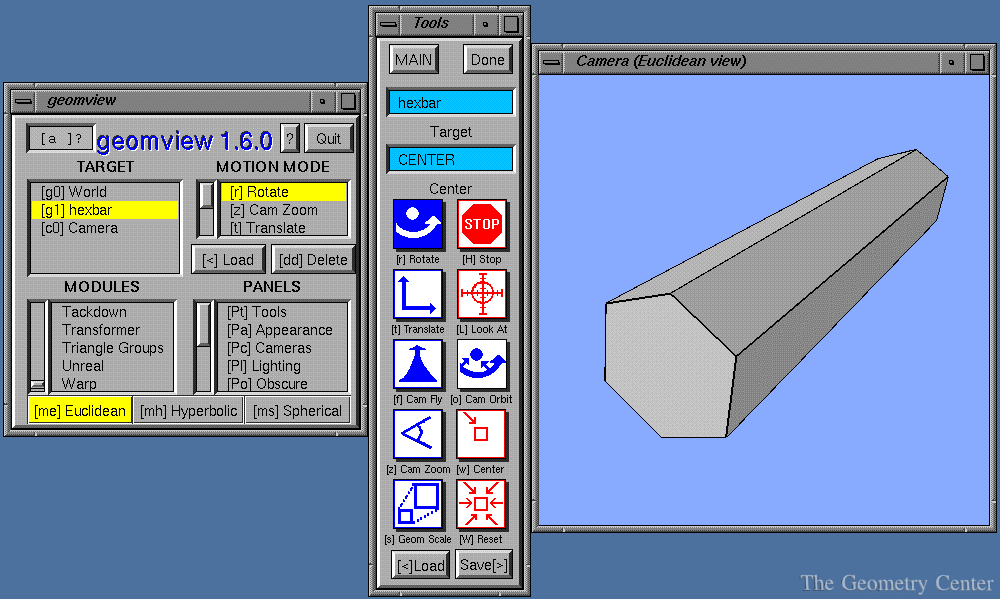
The most straightforward way to use Geomview is to create a file
containing the coordinates of a geometric object, and load that file
into Geomview for viewing.  For example picture here shows what we see
when we load a <A HREF="hexbar-coords.html"> file containing the
coordinates of a hexagonal bar</A>.
<p>
<CENTER>
<A HREF="hexbar-3panels-big.gif">
  <IMG SRC="hexbar-3panels.gif"></A>
</CENTER>
<p><p>
You can load as many objects into Geomview as you want.  Using the mouse,
you can
<p>
<!-- **************************************************** -->
<TABLE BORDER=0 WIDTH=100%>
<TR VALIGN=MIDDLE>
<TD ALIGN=RIGHT>
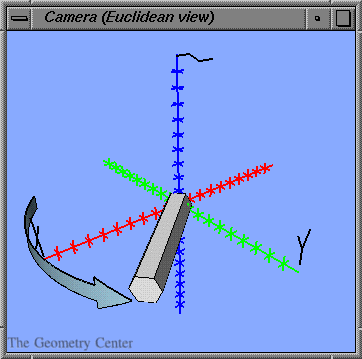
rotate an object,
<TD ALIGN=CENTER>
<IMG SRC="rotated-hexbar-axes-arrow.gif">
</TABLE>
<!-- **************************************************** -->

<!-- **************************************************** -->
<TABLE BORDER=0 WIDTH=100%>
<TR VALIGN=MIDDLE>
<TD ALIGN=CENTER>
<IMG SRC="translated-hexbar-axes-arrow.gif">
<TD ALIGN=LEFT>
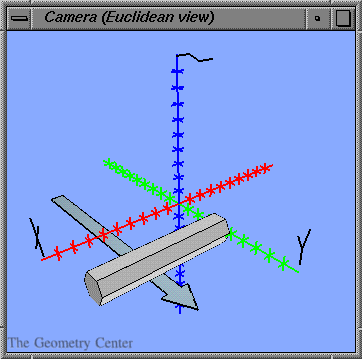
translate it,
</TABLE>
<!-- **************************************************** -->

<!-- **************************************************** -->
<TABLE BORDER=0 WIDTH=100%>
<TR VALIGN=MIDDLE>
<TD ALIGN=RIGHT>
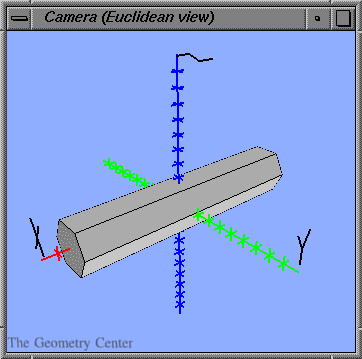
scale it,
<TD ALIGN=CENTER>
<IMG SRC="scaled-hexbar-axes.gif">
</TABLE>
<!-- **************************************************** -->

<!-- **************************************************** -->
<TABLE BORDER=0 WIDTH=100%>
<TR VALIGN=MIDDLE>
<TD ALIGN=CENTER>
<IMG SRC="fly-hexbar-earth.gif">
<TD ALIGN=LEFT>
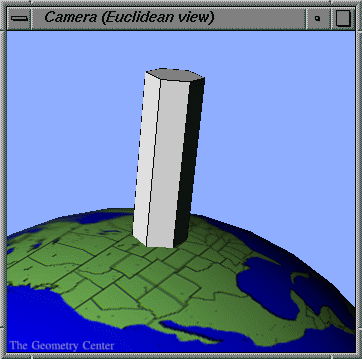
or even use a <I>flight</I> mode to fly around
it as in a flight simulator!
</TABLE>
<!-- **************************************************** -->

<p>

There are a number of other ways you can transform objects as well.
Geomview also gives you control over the objects' appearance properties,
such as face color, edge color, surface qualities, and lighting.

<p>

Geomview also allows multiple windows, so you can view a scene
from different vantage points at the same time.
<!-- *End-Document-Body -->
<p>

<!-- *Navigation-Links -->
<HR>
<B>Next:</B> <A HREF="hexbar-coords.html"><I>A Sample Geomview Data File</I></A><BR>
<B>Up:</B> <A HREF="./"><I>Geometry Center Visualization and Simulation Software</I></A><BR>

<!-- *GC-Common-Footer -->
<HR>
<NOBR><A HREF="/"><IMG SRC="/pix/home.gif" ALT="[HOME]" ALIGN=MIDDLE></A>
<I>The Geometry Center Home Page</I></NOBR>
<p>
Comments to:
<A HREF="/admin/mail/webmaster.html">webmaster@geom.umn.edu</A><BR>
Created:  Sep 20 1996 --- 
<!-- hhmts start -->
Last modified: Dec 18 1996
<!-- hhmts end -->
</BODY>
</HTML>